Free image upscaler tools have become essential in 2026 for anyone who wants sharp, high-quality visuals without paying for expensive software. If you’re tired of blurry, dull, or low-resolution photos, the good news is that today’s free tools use AI to upscale images, enhance details, and fix exposure in just a few clicks. Whether you’re a content creator, small business owner, or casual user, choosing the right free image upscaler can instantly elevate your visuals.
Below, we break down the 10 best free image upscaler tools for 2026, focusing on ease of use, AI power, and real-world results—while showing you why SnapCutBG.com should be your first stop.
What Makes a Great Free Image Upscaler?
Before jumping into the list, here’s what separates the best tools from average ones:
- AI-powered upscaling that improves clarity, not just size
- Simple interface with minimal learning curve
- Fast processing for quick results
- Strong privacy standards
- High-quality exports without heavy compression
A truly effective free image upscaler balances power and simplicity.
The 10 Best Free Image Upscaler Tools for 2026
1. SnapCut BG Image Enhancer & Upscaler
Best Overall for Speed, Simplicity, and Clean Results
👉 https://snapcutbg.com/free-online-image-resizer-perfectly-size-in-5sec/
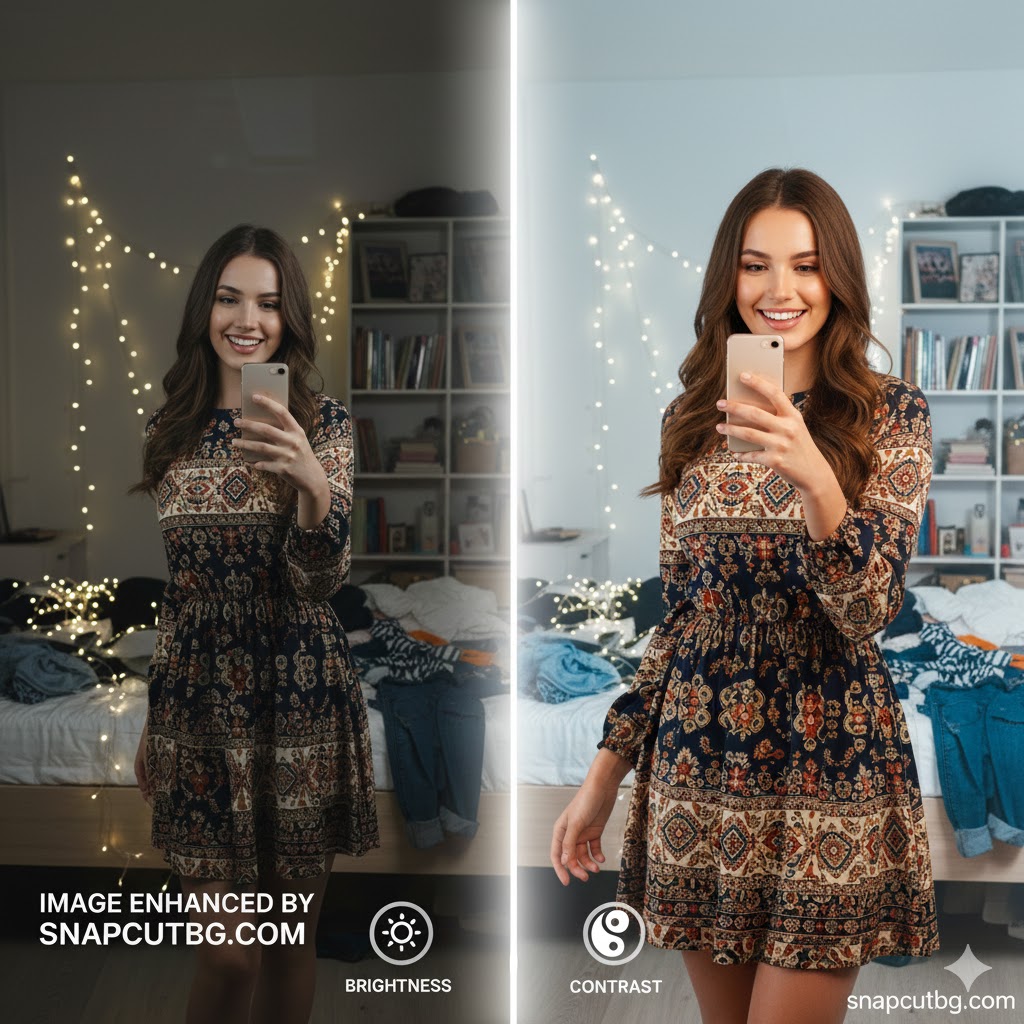
SnapCut BG stands out as one of the fastest and most user-friendly tools available. It focuses on what matters most: clean upscaling, brightness and contrast correction, and instant AI enhancement.
Key Features
- AI-powered one-click enhancement
- Brightness & contrast precision sliders
- Grayscale conversion
- Super-fast processing
Why It’s #1: No clutter, no confusion. Upload, enhance, upscale, and download in seconds.
CTA: 👉 Enhance and upscale your image free at SnapCutBG.com
2. Let’s Enhance
Best for High-Level AI Upscaling
Perfect for enlarging images up to 16x while preserving detail.
3. Fotor AI Image Enhancer
Best AI All-Rounder
Handles upscaling, sharpening, and noise reduction with a single click.
4. VanceAI Image Upscaler
Best for Sharpening Blurry Images
Specialized AI models for deblurring and clarity restoration.
5. Adobe Express
Best for Semi-Professional Results
Adobe’s browser-based editor includes solid upscaling and exposure tools.
6. Canva Image Editor
Best for Social Media Creators
Not a pure upscaler, but great for quick enhancements inside designs.
7. Pixlr X
Best Photoshop-Style Online Tool
Layer-based editing with resolution enhancement options.
8. BeFunky
Best for Creative Effects + Upscaling
Combines basic upscaling with artistic filters.
9. Fotor Old Photo Restoration
Best for Vintage & Damaged Photos
Uses AI to upscale, sharpen, and restore old images.
10. Photopea
Best Advanced Free Alternative
Powerful, but not beginner-friendly. Best for experienced users.
How to Choose the Right Tool
- For fast, clean upscaling: SnapCut BG
- For large image enlargement: Let’s Enhance
- For social media graphics: Canva
- For advanced edits: Photopea or Adobe Express
If you want speed without sacrificing quality, a lightweight free image upscaler like SnapCut BG is ideal.
Why SnapCut BG Is Perfect for Everyday Use
SnapCut BG is built for real users who don’t want complexity. You can quickly fix lighting, increase clarity, and upscale images without watermarks or steep learning curves.
Use it for:
- Product photos
- Profile pictures
- Blog images
- Social media posts
👉 Try SnapCutBG.com now and upgrade your images instantly—100% free.
Final Thoughts
In 2026, you no longer need paid software to get stunning visuals. The right free image upscaler can dramatically improve sharpness, resolution, and overall image quality. While many tools offer advanced features, SnapCut BG delivers the perfect balance of speed, simplicity, and results—making it the smartest choice for most users.
Helpful Resources (Non-Competitor)
Google Image Optimization Guide: https://developers.google.com/search/docs/appearance/image-guidelines
Adobe Photography Tips: https://www.adobe.com/creativecloud/photography/discover.html
Canva Design School: https://www.canva.com/learn/
Frequently Asked Questions (FAQ)
What is a free image upscaler?
A free image upscaler is an online tool that uses AI to increase image resolution while improving clarity, sharpness, and detail—without requiring paid software.
Do free image upscaler tools really work?
Yes. Modern AI-powered tools can intelligently add pixels, reduce blur, and enhance edges. Tools like SnapCut BG deliver noticeable improvements in seconds.
Is SnapCut BG completely free to use?
Yes, SnapCut BG offers free image enhancement and upscaling with no software installation, making it ideal for quick, everyday image improvements.
Can I upscale images without losing quality?
With AI-based upscaling, quality loss is minimal. The best results come from tools designed specifically for enhancement rather than simple resizing.
What’s the best free image upscaler for beginners?
SnapCut BG is one of the best options for beginners due to its clean interface, fast processing, and one-click AI enhancement.
Are free image upscalers safe for privacy?
Reputable tools process images securely and do not store files long-term. Always review a platform’s privacy policy before uploading sensitive images.
Can I use a free image upscaler for social media?
Absolutely. Upscaling improves sharpness and clarity, helping your images look more professional on platforms like Instagram, Facebook, and LinkedIn.
What image formats are supported?
Most free tools support common formats such as JPG, PNG, and WebP. SnapCut BG works smoothly with standard web image formats.
Can free image upscalers be used for product photos?
Yes. Enhancing brightness, contrast, and resolution can make product images more appealing and increase conversion rates.
When should I choose AI upscaling over manual editing?
AI upscaling is best when you need fast, automatic improvements. Manual editing is better for detailed, creative control—but takes more time.