Background Remover PNG: Make Your Social Media Visuals Pop
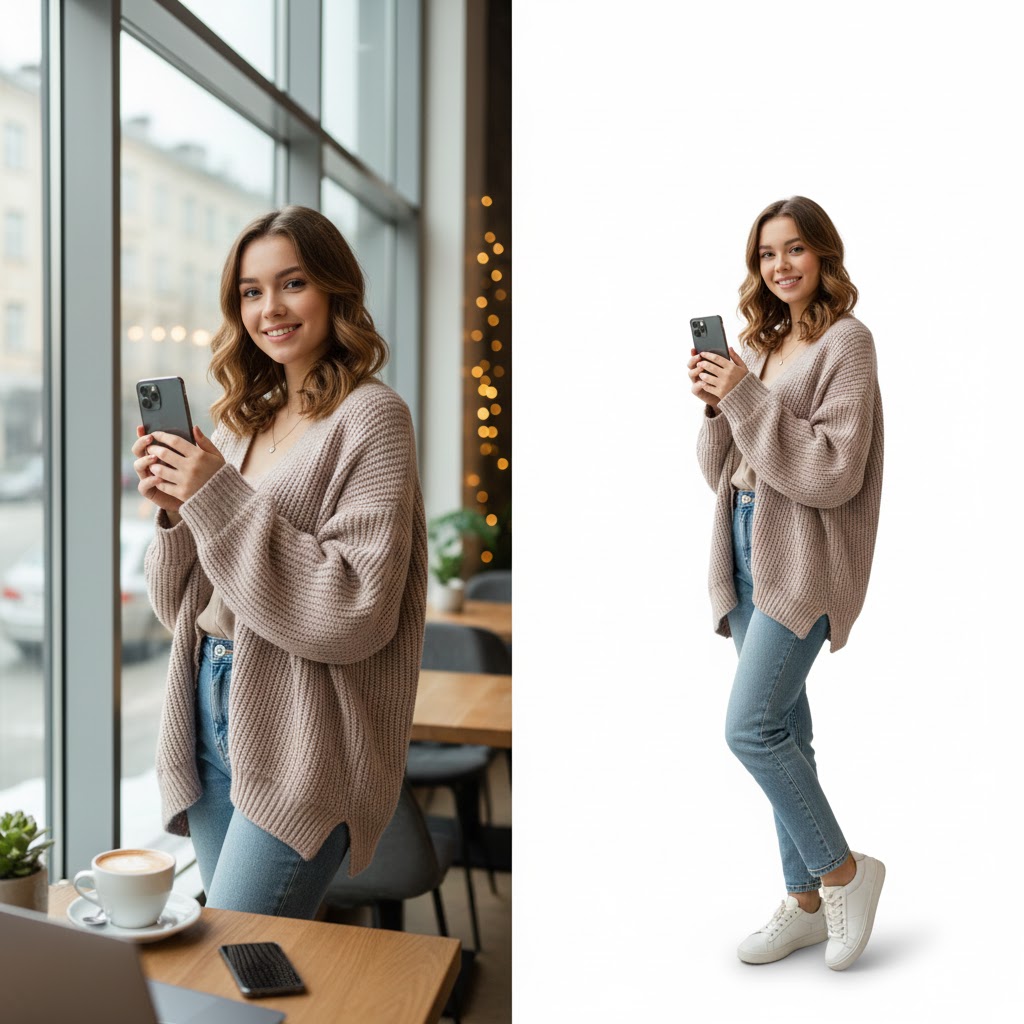
Background remover png tools have become essential in today’s scroll-driven social media world. Your visuals are no longer just images—they are your first impression, brand signal, and click trigger. Whether you’re a content creator, marketer, influencer, or small business owner, the background of your images can make or break engagement.
A cluttered background distracts. A clean, intentional background commands attention.
That’s why using a professional background remover png isn’t optional anymore—it’s your shortcut to thumbnails that attract clicks, posts that stop the scroll, and a profile that looks cohesive and high-quality.
Let’s explore how background removal transforms social media performance—and how SnapCutBG.com makes the process fast, creative, and effortless.
Why Background Removal Is a Social Media Game-Changer
Using a background remover png gives you instant creative control and measurable performance benefits.
1. Higher Click-Through Rates
Thumbnails on YouTube, Instagram, Pinterest, and Facebook need to communicate value in seconds. A subject isolated with a clean background stands out dramatically compared to busy, unedited photos.
2. Stronger Brand Consistency
When you place your subject on consistent colors, gradients, or branded textures, your audience starts recognizing your content instantly—before they even read the caption.
3. Unlimited Content Repurposing
One image + transparent background = endless possibilities. With a background remover png, you can reuse the same subject across multiple campaigns, platforms, and formats.
4. Professional Polish
Clean cut-outs signal quality and effort. They separate serious creators and brands from amateur content.
Pro Tips to Make Your Visuals Pop
Contrast Is King for Thumbnails
After removing the background, don’t default to plain white. Choose a background color that creates maximum contrast with your subject.
SnapCutBG Tip:
SnapCutBG lets you adjust background colors, brightness, and saturation instantly. Try bold tones like deep blue, rich purple, or warm orange to create eye-catching thumbnails.
Use Negative Space for Text
Once your subject is isolated using a background remover png, you gain clean space for headlines, icons, and callouts—perfect for YouTube thumbnails or promo posts.
Create Custom Scenes for Branding
Solid colors are great, but custom backgrounds are unforgettable.
With SnapCutBG, you can upload your own background—textures, gradients, workspace scenes, or branded graphics—creating a signature look across your social channels.
Keep Profile Images Simple
For profile photos, logos, and icons, simplicity wins. A transparent PNG or a solid brand-color background adapts perfectly across light and dark platform themes.
Stay Visually Consistent
Using similar background styles across posts creates a curated, professional feed that builds trust and recognition over time.
Optimize Backgrounds for Each Platform
- Instagram & Reels: Consistent tones and aesthetics build a cohesive grid
- YouTube & Pinterest: High-contrast, bold backgrounds drive clicks
- LinkedIn & Facebook: Clean, subtle backgrounds communicate professionalism
A reliable background remover png allows you to adapt visuals to each platform without re-shooting photos.
Why SnapCutBG Is Built for Social Media Creators
Not all tools are created equal. SnapCutBG is designed specifically for creators and marketers who need precision, speed, and creative freedom.
What Makes SnapCutBG Stand Out
✔ Pixel-Perfect AI Removal
Handles fine hair, fabric edges, translucent objects, and complex shapes effortlessly.
✔ Creative Control Beyond Removal
Change background colors or upload custom JPG/PNG backgrounds directly inside the tool.
✔ Lightning-Fast & Bulk Processing
Edit single images or entire campaigns in minutes.
✔ Social-Ready Downloads
Export high-quality PNGs optimized for posting and thumbnails.
SnapCutBG isn’t just a remover—it’s a complete background remover png workflow.
Simple Workflow to Create Viral-Ready Images
- Capture: Take a clear, well-lit photo
- Remove: Upload to https://snapcutbg.com
- Create: Choose a bold color or upload a custom background
- Enhance: Add text or graphics in tools like Canva
- Post: Upload and watch engagement grow
Ready to Elevate Your Social Media Presence?
Don’t let distracting backgrounds weaken your content.
A powerful background remover png is the simplest upgrade with the highest impact for thumbnails, posts, ads, and profile images.
👉 Try SnapCutBG now: https://snapcutbg.com
Create stunning cut-outs, customize backgrounds, and make your content pop—fast, free, and without sign-ups.
Your visuals deserve attention. SnapCutBG helps you earn it.
Helpful Resources
PNG vs JPG Explained
https://www.adobe.com/creativecloud/file-types/image/raster/png-file.html
Why Visual Content Drives Engagement
https://www.hubspot.com/marketing-statistics
Social Media Image Size Guidelines
https://sproutsocial.com/insights/social-media-image-sizes-guide/