PDF merge is one of the most searched document tasks today—and for good reason. If you’re tired of juggling multiple PDF files for a project, application, or report, you’re not alone. In our digital-first world, PDFs are everywhere. They’re reliable, professional, and universal—but managing them can quickly become frustrating. Finding a truly free, simple, and secure way to merge PDF files online often feels harder than it should be.
If you’ve ever searched “pdf merge free,” you’ve likely encountered confusing software, forced sign-ups, hidden paywalls, or watermarked downloads. Thankfully, there’s a smarter solution that cuts through all that noise.
Why PDF Merge Is Essential Today
The need to pdf merge files comes up in countless real-life situations:
- Students combine chapters, assignments, or research papers into one submission
- Professionals merge proposals, contracts, and presentations into a single document
- Job seekers send one clean file with resume, cover letter, and references
- Administrators organize invoices, scanned forms, and reports
- Everyday users simply want to reduce digital clutter
Instead of sending or storing multiple files, combine pdf files free creates one streamlined, easy-to-share document.
The Old Way vs the Smart Way to Merge PDFs
The Old (Painful) Way
- Open expensive desktop software
- Copy and paste pages—often breaking layouts
- Print and rescan documents, wasting time and quality
- Install heavy programs you’ll rarely use
This approach is slow, costly, and outdated.
The Smart Way: Online PDF Merge
With a modern online solution, pdf merge takes seconds—not hours.
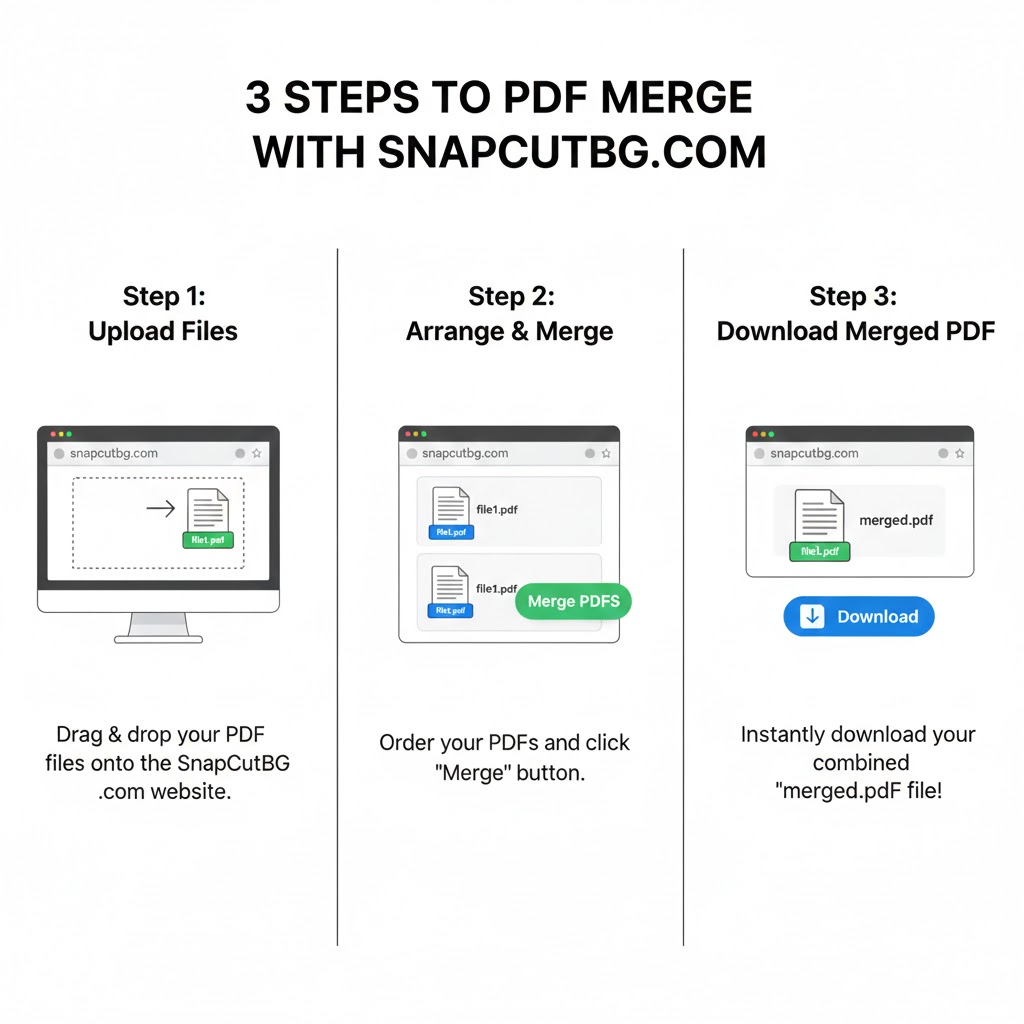
The SnapCutBG way:
- Upload your PDF files
- Drag and drop to reorder
- Click Merge PDF
- Download your unified file
That’s it. No installs. No stress.
Introducing SnapCutBG’s Free PDF Merge Tool
SnapCutBG built its pdf merge tool with one goal: make it the simplest, most reliable, and completely free solution available online.
Why SnapCutBG Stands Out
- 100% Free Forever
Merge as many PDFs as you want. No trials, no subscriptions.
- 100% Free Forever
- No Watermarks
Your documents remain clean, professional, and brand-ready.
- No Watermarks
- Secure & Private
Files are encrypted during upload and automatically deleted within an hour.
- Secure & Private
- No Registration Required
Start instantly—no email, no account, no downloads.
- No Registration Required
- Drag & Drop Simplicity
Rearrange PDFs visually with total control over order.
- Drag & Drop Simplicity
- Blazing-Fast Performance
Optimized servers ensure quick PDF merge even for larger files.
- Blazing-Fast Performance
- Works on Any Device
Use it on Windows, macOS, Linux, tablets, or smartphones.
- Works on Any Device
This makes SnapCutBG ideal for both occasional users and professionals who need reliable pdf merge functionality without friction.
How to PDF Merge in 3 Easy Steps
Using SnapCutBG is effortless—even if it’s your first time.
Step 1: Upload PDFs
Click Upload PDF Files or drag and drop multiple files at once.
Step 2: Arrange the Order
Preview thumbnails and drag files into the exact sequence you want.
Step 3: Merge & Download
Click Merge PDF, then download your combined file instantly.
Your merged PDF is now ready to share, print, or archive.
Frequently Asked Questions
Is SnapCutBG really free?
Yes. The combine pdf tool is 100% free with no hidden limitations.
Are my documents safe?
Absolutely. SnapCutBG uses secure HTTPS encryption, and files are auto-deleted after 60 minutes.
Is there a file limit?
Generous limits cover most everyday and professional needs. Check the tool page for current specs.
Do I need to install software?
No. Everything works directly in your browser.
How it Saves Time & Productivity
Using an online pdf merge tool reduces workflow friction, speeds up document handling, and eliminates unnecessary software costs. It’s faster, greener, and more efficient than traditional methods.
According to Adobe, PDFs remain the most trusted format for document sharing and archiving, making tools like PDF merge essential for modern workflows.
Stop Struggling—Start Merging
Disorganized PDFs slow you down. With SnapCutBG, combine pdf
becomes a one-click solution instead of a recurring headache.
 Try the free PDF Merge tool now:
https://snapcutbg.com/pdf-merge/
Merge files instantly, protect your privacy, and simplify your digital life—fast, free, and foolproof.
Helpful Non-Competitor Resources
Digital Document Organization Best Practices
https://www.nationalarchives.gov.uk/information-management/
Adobe Guide to PDFs
https://www.adobe.com/acrobat/about-adobe-pdf.html
Google Workspace PDF Tips
https://support.google.com/docs/answer/12308850